The fines book for grassroots football
Every fine.
Every game.
One place.
Touchline Fines keeps your squad fines in one place. The fines officer issues them from the touchline on their phone, and every player can see who owes what.
- Made for club fines officers
- Works on any phone
What it does
Built for the touchline,
not the office
- 1
Issue fines in seconds
Pick the game, search for the player, tap the fine. Done before the final whistle.
- 2
Game by game
Add fixtures with scores, penalties included, and see exactly which fines belong to which match.
- 3
A table nobody wants to top
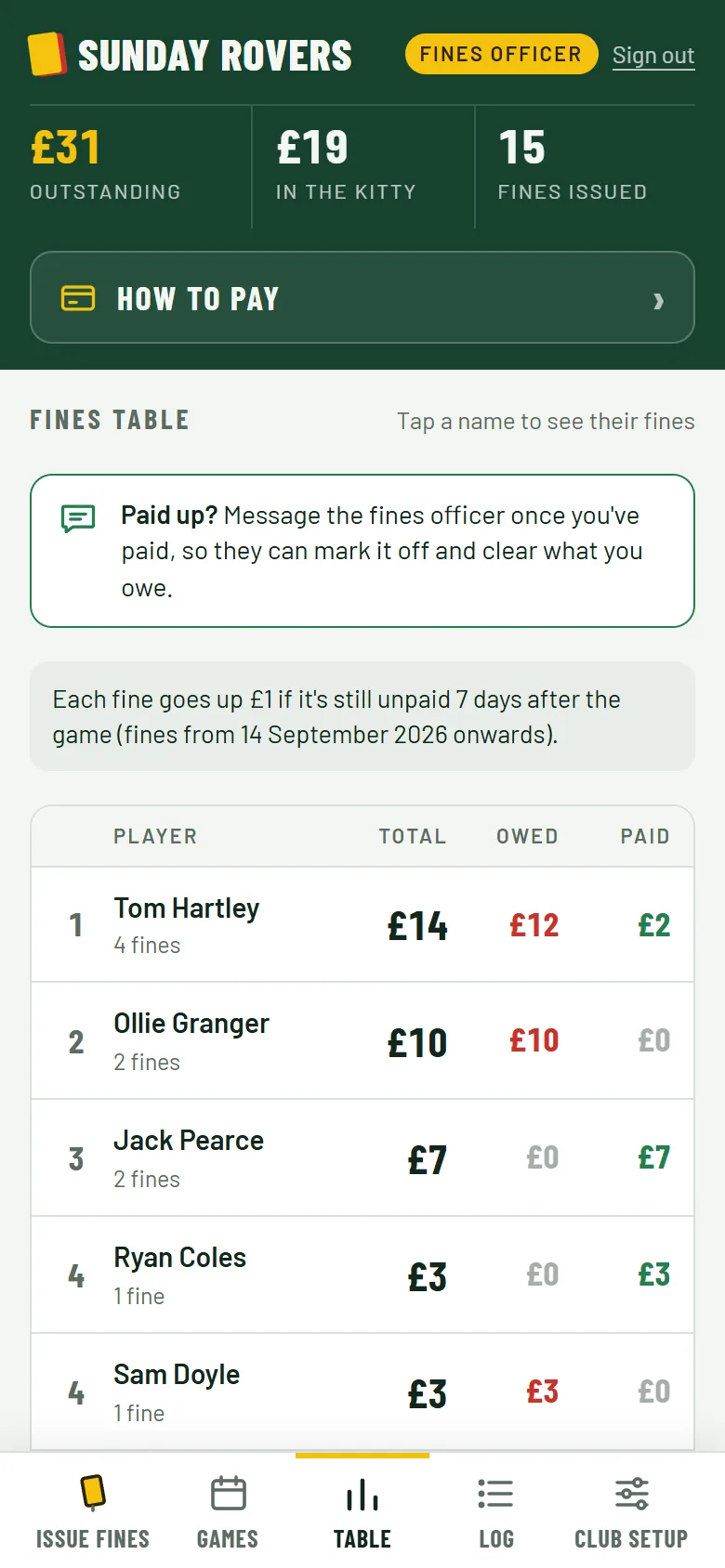
Total, owed and paid for every player, with the biggest offenders first.
- 4
Pay up, no chasing
Players see what they owe and how to pay. One tap copies a reminder for the group chat.
- 5
Late fees that add themselves
Fines still unpaid a week after the game go up automatically. You set the amount, or switch it off.
- 6
Player access for the squad
Hand out a view-only code so the whole team can check their own fines and follow the table.
See it in action
The whole job, on one phone
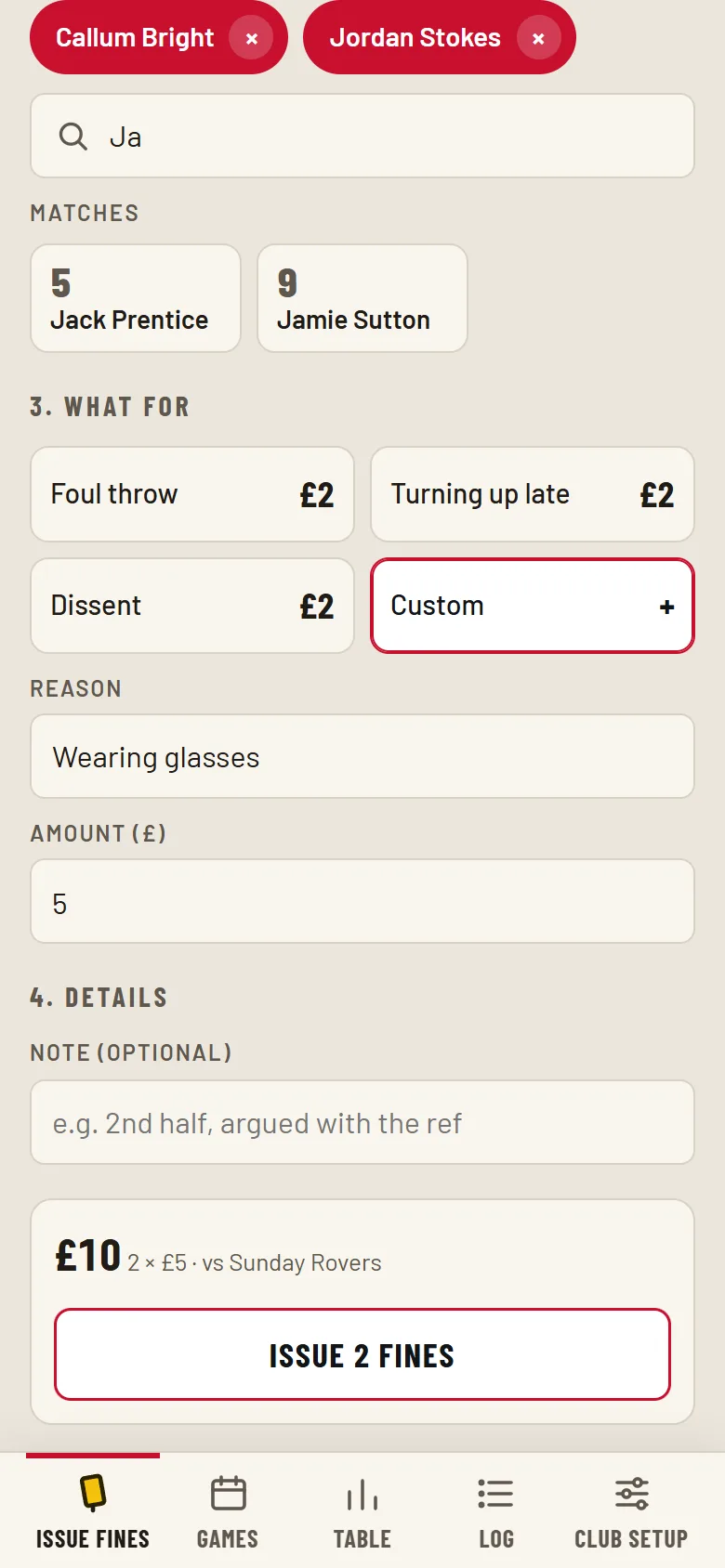
Issue fines
Search the squad, pick the players and the fines.
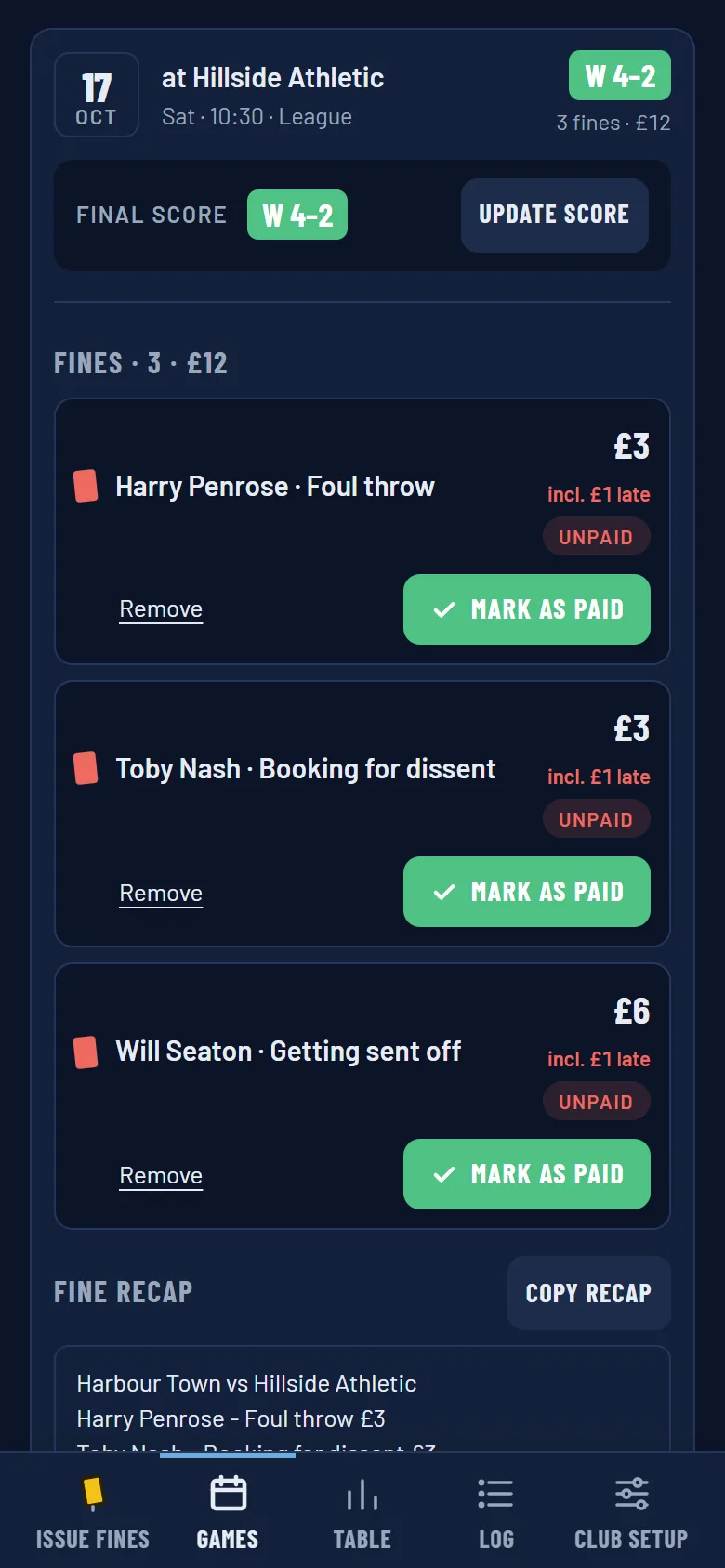
Games
Open a game to see its fines, result and who still owes.
Table
Who owes what, at a glance.
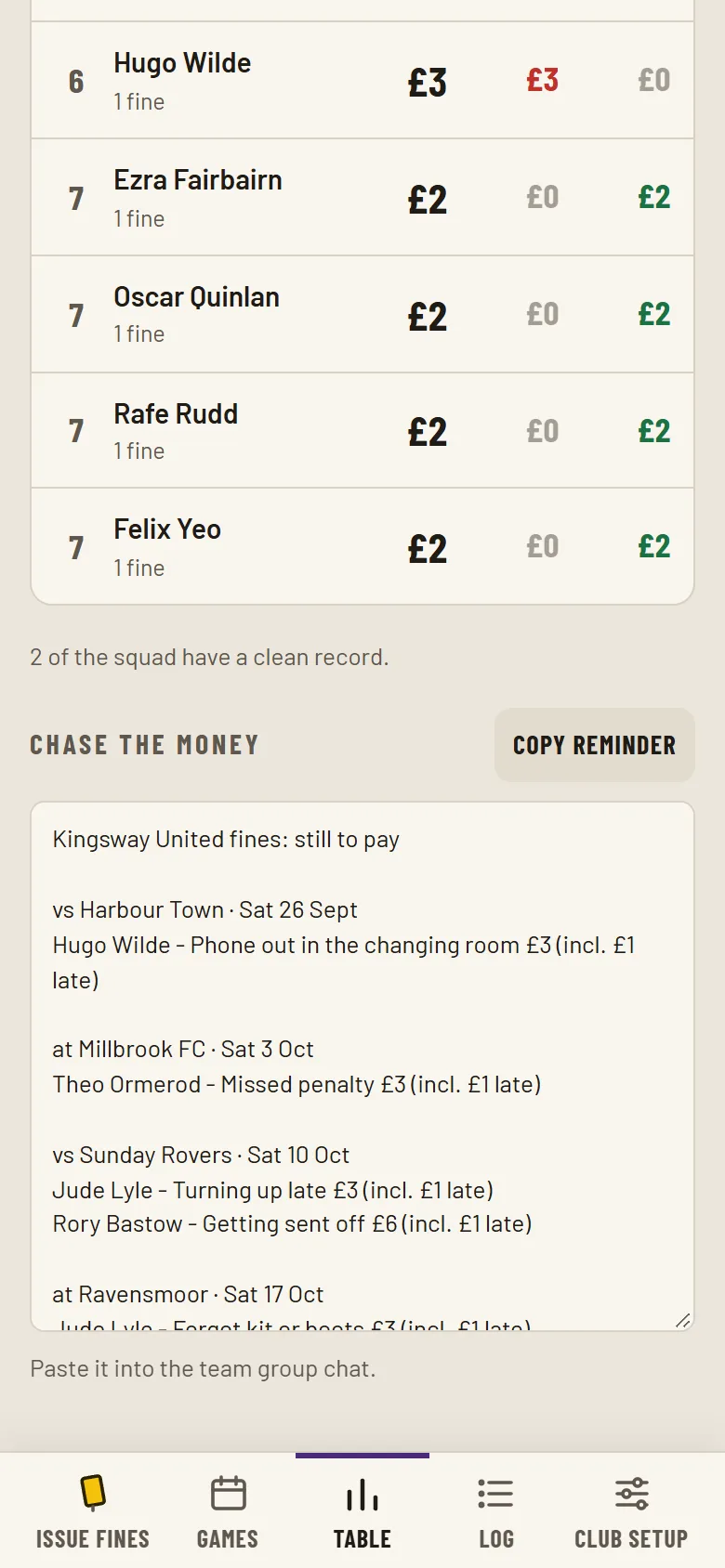
Chase the money
One tap copies who still owes, ready for the group chat.
Make it yours
Your club,
your colours
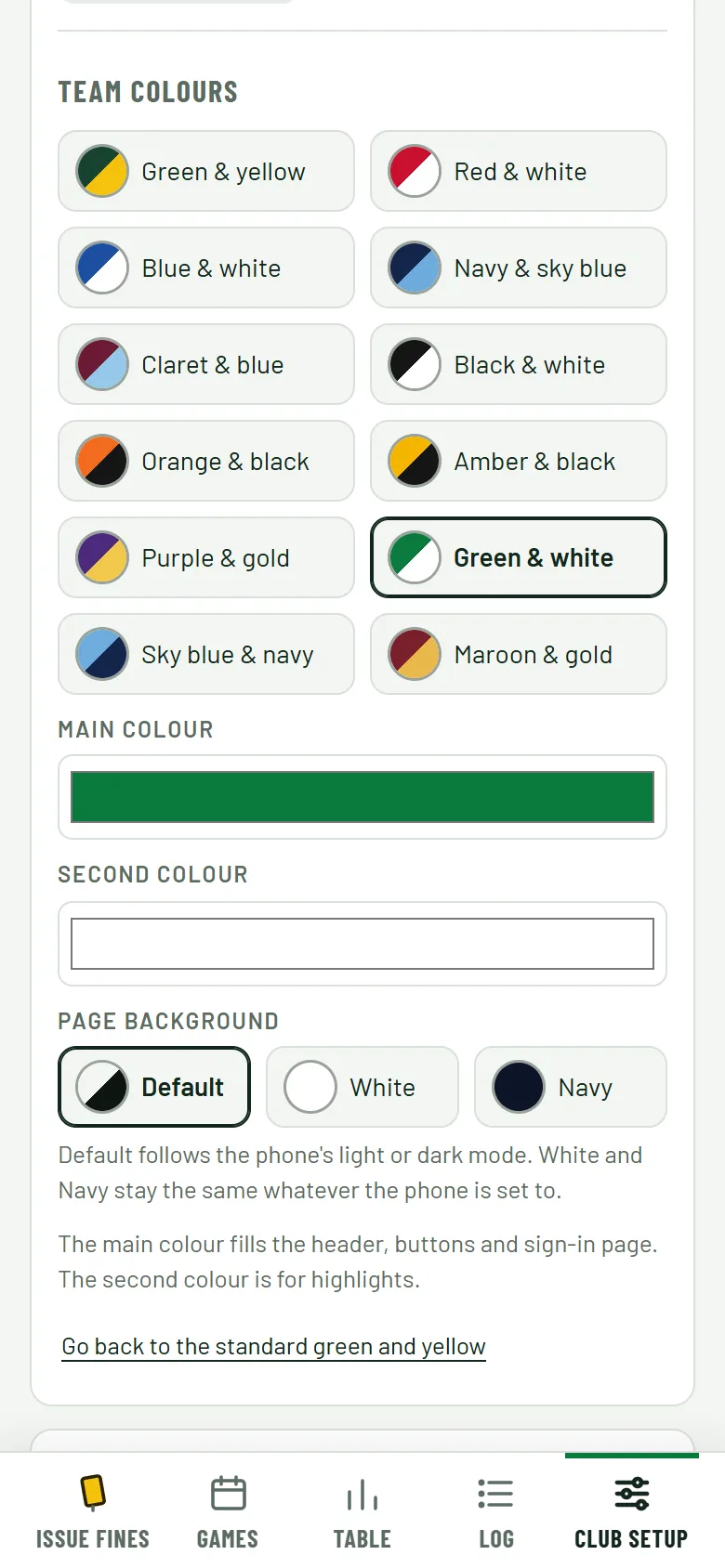
Every screen on this page is a different club. The fines officer picks two team colours, from common kit pairs or any two they like, and the whole book follows: header, buttons, sign-in page, even the title bar once it's added to a phone's home screen.
- Two colours. A main colour and a second one for highlights. Text stays readable whatever you pick.
- Three backgrounds. Default, White or Navy, to suit the kit.
- Yellow cards stay yellow. Some things are sacred.
For the whole squad
Let the team track
it themselves
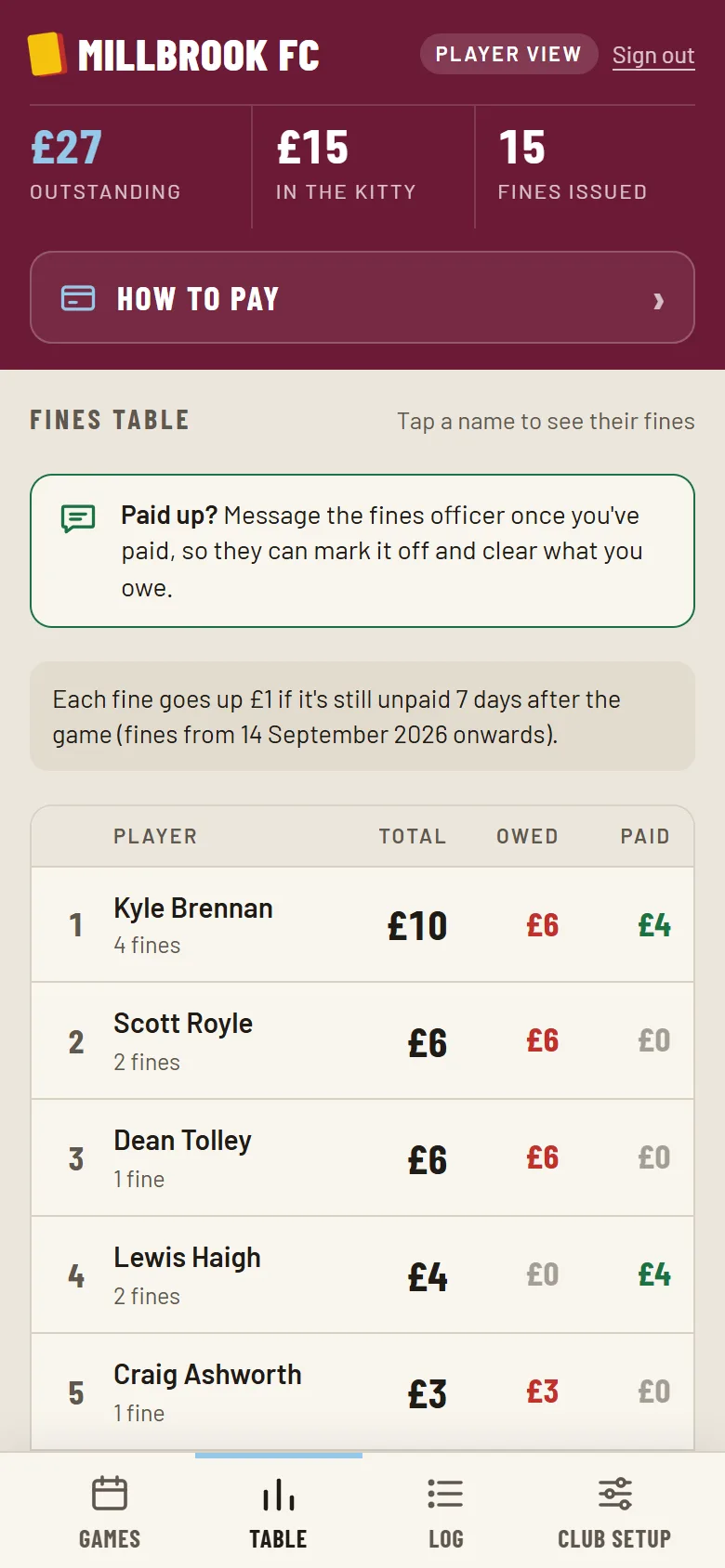
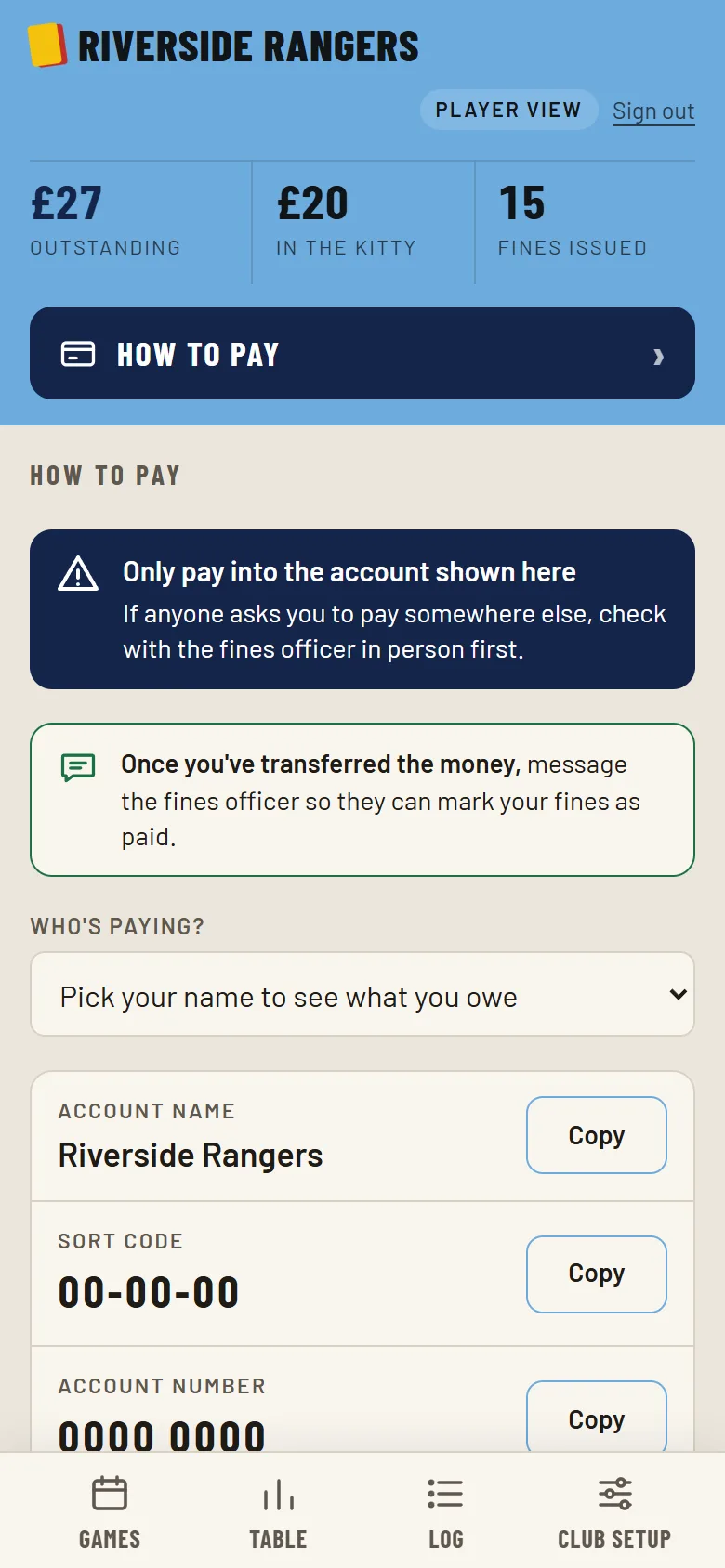
Give players view-only access with a code. They can check their own fines, see the table and find out how to pay, without messaging the fines officer. Only the fines officer can issue fines, edit them or mark them paid.
- Two codes. One for the fines officer, one for the players.
- Nothing to break. Players can look at everything and change nothing.
- Stay in control. Change a code and everyone on the old one is signed out.
What players see
And how to pay
How it works
Three steps to a fairer dressing room
- 1
Set up the book
Add your squad, your fixtures and your list of fines with their prices. Pick your team colours while you're there.
- 2
Issue after the game
The fines officer picks the match, the players and the fines, then taps issue. Late fees take care of themselves.
- 3
Players pay, officer ticks off
Players check what they owe and pay the club. The fines officer marks it paid, and the table updates for everyone.
Your rules, your prices
The dressing room
rules, written down
Build your own list of fines, each with a price and a note on what it means, so nobody can say they weren't told. Start from a ready-made list or write your own, and add a one-off custom fine whenever someone finds a new way to earn one.
- Turning up late£2
- Wearing flip-flops£2
- Hugging your mum at half-time£1
- Missing an open goal£3
- Not staying for a drink after£2
- Add your own…+